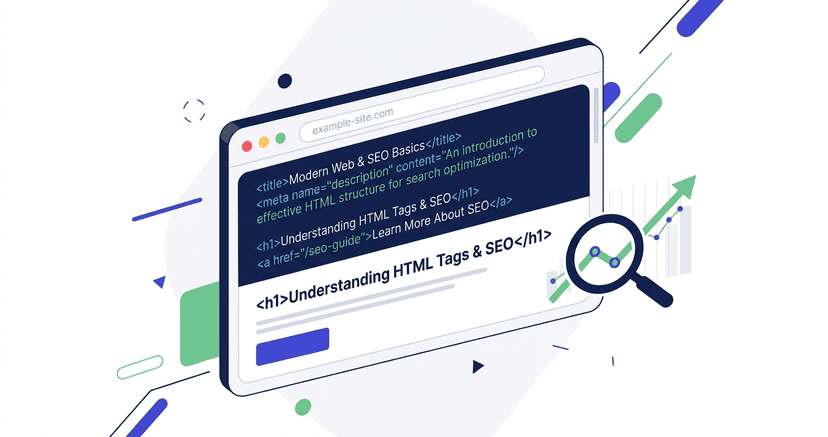

Achieving sustained organic traffic requires more than publishing high-quality content; it demands a flawless technical foundation. Search engines rely on structured code to crawl, parse, and index information efficiently. When your website possesses SEO-optimized HTML, you remove the technical friction that prevents search engine bots from understanding your core topics and ranking your pages appropriately. SEO Starter Guide
Modern Technical SEO is a multidisciplinary practice that bridges the gap between web development and digital marketing. It encompasses everything from server response times to the semantic structure of your document object model (DOM). Google Search operates through three primary phases: crawling, indexing, and serving results, and your website must be technically sound at every stage to compete in competitive search landscapes. How Search Works
This comprehensive guide explores the exact technical configurations, HTML structures, and performance optimizations required to maximize your search visibility and dominate the search engine results pages (SERPs).
1. The Foundation of Semantic HTML and Document Structure
Search engine crawlers process web pages by reading the underlying source code. If your code relies heavily on generic div and span tags without conveying meaning, crawlers must expend additional computational resources to deduce the page's layout and hierarchy.
Semantic HTML introduces specific tags that communicate the structural meaning of the enclosed content. Using elements such as header, nav, main, article, section, and footer establishes a clear roadmap for search engines. SEO Starter Guide
By wrapping your primary content inside a main or article tag, you explicitly instruct search engines on where to find the most valuable information on the page, effectively separating it from boilerplate navigational links and footer widgets. This structural clarity reduces ambiguity, ensuring that the algorithm accurately identifies the primary topic of your URL, which is a foundational requirement for strong Technical SEO.
Pro Tip: Always validate your HTML against W3C standards. While minor validation errors won't tank your rankings, severe structural errors that break the DOM can prevent Googlebot from rendering your page correctly.
2. Mastering Title Tags for Indexing and Click-Through Rates
The title element is arguably the most critical on-page ranking factor because it directly communicates the core subject of the document to search engines and prospective visitors. Google uses title links as the primary headline in search results to help users instantly determine the relevance of a webpage to their query. Title Links
A perfectly optimized title tag must strike a balance between algorithmic relevance and human psychology. It must contain the primary keyword to satisfy the search engine, but it must also compel the user to click.
Best Practices for Title Tag Optimization
- Front-Load Primary Keywords: Place your most important keywords toward the beginning of the title tag to establish immediate relevance.
- Adhere to Pixel Width Limits: Search engines truncate titles that exceed the display boundaries. Keep your titles between 50 and 60 characters (or approximately 600 pixels) to ensure they display completely in the SERPs.
- Ensure Absolute Uniqueness: Duplicate titles confuse search engines and dilute your search visibility. Every single page on your website must feature a highly specific, uniquely crafted title. Title Links
- Avoid Keyword Stuffing: Packing the title with comma-separated keywords looks spammy and can trigger algorithmic demotions. Write naturally for humans while incorporating search terms logically.
Google explicitly states that while they may sometimes rewrite titles to better match a user's query, providing clear and descriptive title tags remains a paramount best practice. Title Links
3. Engineering Meta Descriptions for Maximum Conversion
While meta descriptions do not act as direct ranking signals in Google's algorithm, they are highly influential in determining your organic click-through rate (CTR). A higher CTR means more traffic without needing to improve your actual ranking position.
Google dynamically generates search snippets, and it frequently utilizes your meta description when it determines that your provided text offers a superior summary of the page compared to the on-page content. Snippets
Strategies for High-Performing Meta Descriptions
- Summarize the Core Value Proposition: Clearly state what the user will learn, gain, or solve by clicking on your link.
- Incorporate Secondary Keywords: Search engines often bold words in the snippet that match the user's search query, which naturally draws the eye and increases clicks.
- Include a Call to Action (CTA): Use action-oriented verbs like "Learn," "Discover," "Compare," or "Buy" to prompt the user to take the next step.
- Respect Length Constraints: Keep descriptions between 150 and 160 characters to prevent truncation on desktop, and be mindful that mobile snippets are often cut off around 120 characters.
If your meta descriptions are missing, duplicated, or poorly written, search engines will arbitrarily scrape text from your page, often resulting in a disjointed and unappealing snippet that harms your search visibility. Snippets
4. Establishing a Logical Heading Hierarchy
Headings (h1 through h6) are structural elements that break up text and establish a topical outline for your document. Proper heading hierarchy is essential not only for Technical SEO but also for web accessibility and user experience. MDN Headings
Search engine algorithms utilize headings to grasp the context of different sections and how they relate to the overarching theme of the page. SEO Starter Guide
The Rules of Heading Hierarchy
- One H1 Per Page: The
h1tag should function as the title of the document. It should closely align with your title tag and clearly state the primary topic. Using multiple H1 tags can dilute the page's topical focus. - Sequential Nesting: Never skip heading levels. An
h2should follow anh1, and anh3should only be used to create a subsection within anh2. Skipping from an H2 directly to an H4 breaks the logical outline of the SEO-optimized HTML. MDN Headings - Incorporate Contextual Keywords: Subheadings represent excellent opportunities to target long-tail keywords and related search queries naturally.
When your heading hierarchy is precise, search engines can confidently extract sections of your content to serve as Featured Snippets, dramatically increasing your organic traffic footprint.
5. Controlling Duplication with Canonical URLs
Duplicate content is one of the most pervasive issues in Technical SEO, particularly for e-commerce websites and large enterprise platforms. When multiple URLs return identical or nearly identical content, search engines struggle to determine which version should be indexed and ranked. This splits your link equity and wastes your crawl budget.
Canonical URLs (rel="canonical") are HTML link tags that resolve this issue by explicitly telling search engines which iteration of a page is the "master" or preferred version. Canonicalization
Common Scenarios Requiring Canonical Tags
- Tracking Parameters: URLs appended with UTM parameters (e.g.,
?utm_source=twitter) create duplicates. The canonical tag on these parameterized URLs must point back to the clean, base URL. - Faceted Navigation: E-commerce filters (size, color, price) generate infinite URL combinations. Canonical URLs are vital to consolidate these variations back to the primary category page. Duplicate URLs
- Trailing Slashes and Subdomains: To a search engine,
https://example.com/page,https://example.com/page/, andhttps://www.example.com/pageare three separate URLs. Strict canonicalization forces consolidation.
Google views the canonical tag as a strong hint rather than an absolute directive. To ensure your canonicals are respected, they must be consistent with your internal linking, sitemaps, and redirects. Canonicalization
6. Architecting a Strategic Internal Linking Model
Internal linking is the process of hyperlinking from one page on your domain to another. It is the primary mechanism through which search engines discover new content and distribute PageRank (link equity) throughout your website. SEO Starter Guide
Without a deliberate internal linking strategy, your website is merely a collection of isolated documents. A highly structured internal link graph establishes topical authority and defines your site architecture. Google relies on internal links to understand the contextual relationship between different pages. How Search Works
Best Practices for Internal Link Optimization
- Utilize Descriptive Anchor Text: The clickable text of a link provides search engines with vital context about the destination page. Avoid generic phrases like "click here" or "read more." Instead, use descriptive keywords that accurately reflect the target page's topic. SEO Starter Guide
- Implement Topic Clusters: Organize your content into pillar pages (broad, comprehensive guides) and cluster pages (narrow, specific subtopics). Link all cluster pages back to the main pillar page, and link the pillar page out to the clusters. This interconnected web proves deep topical expertise.
- Monitor Orphan Pages: An orphan page is a URL with zero internal links pointing to it. Search engines cannot easily discover orphan pages, and they perform poorly in search rankings. Ensure every important page is linked from at least one relevant, high-traffic page on your site.
7. Optimizing Assets with Image SEO and Alt Text
Images enhance user engagement, but they are entirely invisible to search engine crawlers without properly configured text alternatives. Image optimization is a dual-purpose endeavor that improves both accessibility and search visibility in Google Image Search.
Google explicitly recommends using descriptive alt text to help its algorithms understand the subject matter of your visual assets. Image SEO
Essential Image Optimization Steps
- Write Contextual Alt Text: Your alt text should describe the image accurately for visually impaired users utilizing screen readers. It should include relevant keywords only when they naturally describe the visual content. WAI Images
- Use Descriptive File Names: Before uploading an image, rename the file to reflect its contents (e.g.,
technical-seo-architecture.jpginstead ofIMG_9824.jpg). - Implement Next-Generation Formats: Serve images in modern, highly compressed formats like WebP or AVIF to drastically reduce file size without sacrificing visual fidelity. Fast Sites
- Utilize Responsive Images: Use the
srcsetattribute to serve appropriately sized images based on the user's device screen width, saving massive amounts of bandwidth for mobile users.
8. Dominating Mobile-First Indexing
The desktop version of your website is no longer the primary version evaluated by search engines. Google predominantly utilizes the mobile version of a website's content for indexing and ranking, a paradigm known as mobile-first indexing. Mobile-first Indexing
If your mobile site hides content behind accordions, removes text to save space, or offers a degraded user experience compared to the desktop version, your overall search rankings will suffer immensely.
Critical Warning: Your mobile site and desktop site must achieve parity. If structured data or canonical tags are missing from your mobile DOM, search engines will not process them.
Achieving Mobile Parity
- Responsive Web Design: Utilize responsive design principles with a properly configured
meta name="viewport"tag so your layout fluidly adapts to any screen size. - Content Consistency: Ensure that the primary text, images, videos, structured data, and internal linking present on your desktop site are identical on your mobile site. Mobile-first Indexing
- Tap Target Sizing: Ensure buttons and navigational links are large enough and spaced far enough apart to be easily tapped with a thumb without accidental misclicks.
If your website fails to deliver a seamless mobile experience, you are essentially disqualifying yourself from competing in modern search algorithms.
9. Elevating User Experience with Core Web Vitals
Performance is no longer a luxury; it is a prerequisite for organic visibility. Google incorporates real-world user experience metrics, known as Core Web Vitals, directly into its ranking algorithm. Core Web Vitals
These metrics objectively quantify how fast a page loads, how quickly it responds to user input, and how visually stable the layout remains during the loading process.
The Three Pillars of Core Web Vitals
- Largest Contentful Paint (LCP): Measures perceived load speed. It calculates the time it takes for the largest image or text block to render within the viewport. To pass, LCP must occur within 2.5 seconds of the page starting to load. LCP Metric
- Interaction to Next Paint (INP): Measures interactivity and responsiveness. It tracks the latency of all clicks, taps, and keyboard interactions. A good INP score requires responding to interactions in under 200 milliseconds. INP Metric
- Cumulative Layout Shift (CLS): Measures visual stability. It calculates how much the page layout unexpectedly shifts during loading (e.g., an ad popping in and pushing text down). To provide a good user experience, pages should maintain a CLS of 0.1 or less. CLS Metric
Improving Core Web Vitals requires deep Technical SEO interventions, such as implementing lazy loading, deferring non-critical JavaScript, preloading key fonts, and utilizing a Content Delivery Network (CDN).
10. Communicating Context with Structured Data
While semantic HTML provides structural meaning, structured data provides explicit contextual meaning. By injecting Schema markup (specifically in JSON-LD format) into your code, you provide search engines with a highly organized dictionary of facts about your page.
Structured data helps search engines understand the specific entities on your page—such as products, reviews, events, recipes, and organizations—and can enable your site to qualify for enhanced, highly visible rich results in the SERPs. Structured Data
High-Impact Schema Types
- Product Schema: Displays pricing, availability, and review ratings directly in the search results, drastically improving e-commerce CTR.
- FAQPage Schema: Allows your frequently asked questions and answers to appear in a dropdown format directly within the Google search interface.
- Article/BlogPosting Schema: Helps search engines understand the headline, author, publish date, and publisher of editorial content.
It is absolutely crucial that your structured data perfectly matches the visible content on the webpage; deploying misleading Schema markup is a violation of Google's guidelines and will result in manual penalties. Structured Data
11. Managing Crawl Budget for Enterprise Websites
For massive websites containing tens of thousands or millions of URLs, search engines cannot crawl every page every single day. Googlebot has finite resources, and the amount of time it allocates to exploring your site is known as your crawl budget. Crawl Budget
If your site is plagued by infinite URL spaces, slow server response times, or heavy redirect chains, Googlebot will exhaust its crawl budget before it ever discovers your newest, most profitable content.
Strategies for Crawl Optimization
- Optimize Robots.txt: Use your
robots.txtfile to explicitly block crawlers from accessing low-value pages, internal search result pages, and admin directories. - Fix Broken Links and Redirect Chains: Every 404 error and multi-step 301 redirect forces Googlebot to waste processing power on a dead end. Ensure all internal links resolve directly to a 200 OK status code.
- Maintain Clean XML Sitemaps: Your sitemap should only contain your canonical, indexable, high-value URLs. Remove any redirected, broken, or canonicalized pages from your sitemap files to ensure crawlers focus only on what matters.
Improving your site's server speed and TTFB (Time to First Byte) is the single most effective way to stretch your crawl budget, allowing search engines to parse more pages in less time. Crawl Budget
12. Clean URL Architecture and Best Practices
The structure of your URLs provides early, critical signals to both users and search algorithms regarding the taxonomy of your website. Clean, descriptive URLs foster trust and improve the likelihood of a user clicking your link in the search results. SEO Starter Guide
Anatomy of an SEO-Friendly URL
- Incorporate Target Keywords: Include the primary keyword of the page in the URL slug, keeping it concise and relevant.
- Utilize Hyphens as Separators: Always use hyphens (
-) to separate words in a URL. Search engines do not reliably parse underscores (_) or spaces as word separators. - Keep Folder Depth Shallow: URLs should logically reflect your site hierarchy (e.g.,
example.com/category/product). Avoid excessively deep folder structures that make URLs unnecessarily long and complex. - Use Lowercase Letters: URLs are technically case-sensitive on some servers. Using exclusively lowercase letters prevents accidental duplication and 404 errors caused by varying capitalization.
13. Frequently Asked Questions (FAQ)
Does having a fast website guarantee higher rankings?
No. Excellent Core Web Vitals and fast loading speeds serve as a tie-breaker in competitive search environments. While speed is a ranking factor, it cannot compensate for poor quality content or a lack of relevance to the user's search intent. Core Web Vitals
How often should I update my XML sitemap?
Your XML sitemap should update dynamically whenever you publish a new page, update an existing page, or remove a URL. Submitting an accurate sitemap via Google Search Console ensures search engines discover your architectural changes rapidly. How Search Works
Are HTML validation errors harmful to SEO?
Minor HTML validation errors (like unclosed tags) generally do not impact your search visibility directly, as modern browsers and crawlers are highly forgiving. However, severe structural errors that prevent Googlebot from rendering the page or parsing your structured data will severely harm your indexing capabilities. SEO Starter Guide
Do I still need to worry about mobile optimization if my users are mostly on desktop?
Absolutely. Due to mobile-first indexing, Google evaluates and ranks your website based almost entirely on the mobile version of your code, regardless of the device your specific audience prefers to use. Mobile-first Indexing
Conclusion
Mastering Technical SEO requires a shift in perspective. You must stop viewing your website purely as a visual medium for humans and start treating it as a highly structured dataset built for machines.
When you deploy flawless SEO-optimized HTML, implement strategic internal linking, write compelling title tags, and optimize your performance to pass all Core Web Vitals, you construct a digital asset that search engines trust. This trust translates directly to faster crawling, reliable indexing, and dominant, sustained search visibility over your competitors. SEO Starter Guide